How the Always-On Mentor works with your child
It sits beside every article and project your child opens, answers questions about any passage they highlight, and guides each project step without doing the work for them. It cannot see your child or know anything your family has not shared.
What the mentor sees
It sees the name, age, and grade level you provide during setup. While your child is working, it also sees the article or project they have open, their answer, and the progress saved in their account.
What your child is working on
The mentor sees the article your child is reading, the question they are answering, any passage they select, and the assignment that work belongs to.
A response about that work
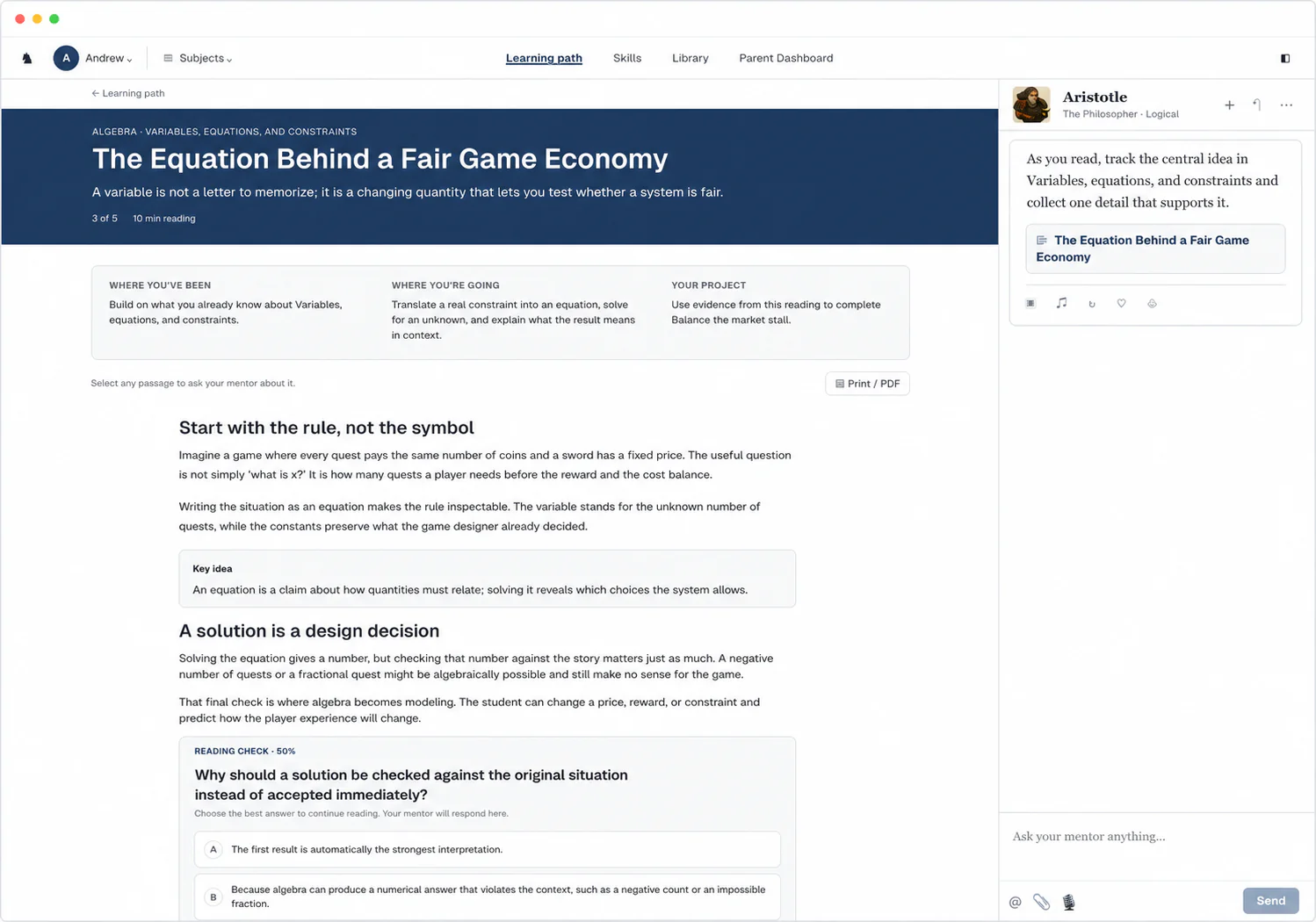
It answers questions about any passage your child highlights and offers help when they seem stuck. In an article it can draw the idea step by step on its board, and during a reading check it answers clarifying questions without giving the answer away.
What happens after an answer
We grade everything your child submits as soon as they submit it, so grading never lands on you. When your child gets something wrong, we help them work through it, and projects come back with feedback they can revise from.
Your child submits an answer or piece of work
They finish a reading check or turn in a project.
Feedback points to the next step
The feedback shows which ideas your child understood and which need another explanation, so their next attempt has a clear purpose.
The mentor explains it another way
After a missed answer, the mentor can explain the idea another way, starting from the question your child got wrong.
Your child tries again
A follow-up question gives your child a chance to explain, revise, or retry so they can show that the explanation made sense.
You can see what happened
We save the completed work, feedback, and progress, so your child knows what comes next and you can see each grade the moment it lands.
What the learner and parent see
Today's work and the next clear action
The learner dashboard shows the next lesson and current progress. Inside an article, your child can select a passage and include it in a question to the mentor.
Every grade as it lands
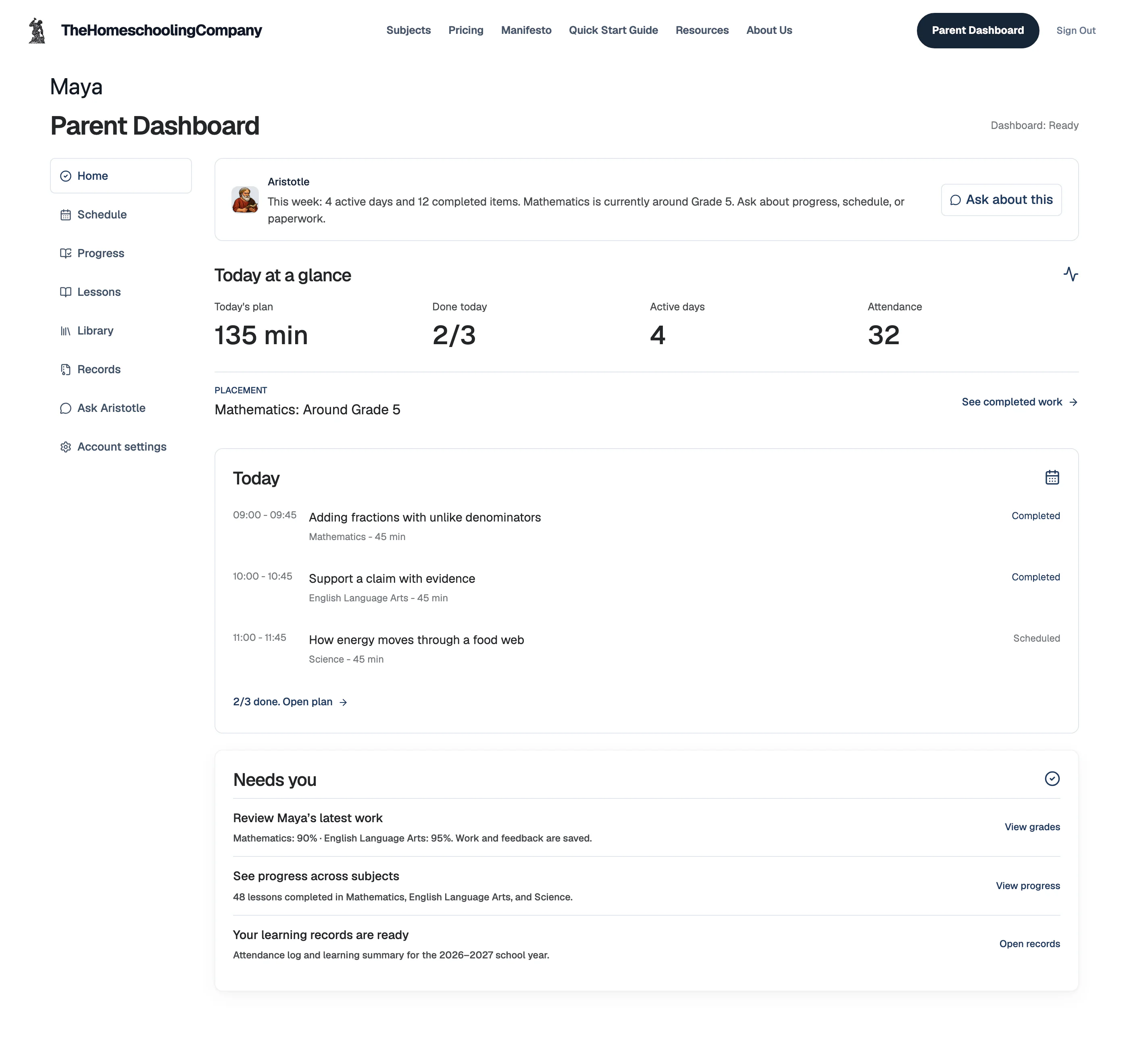
The parent view shows completed work, each grade with its written feedback, attendance, and progress. Grading is already done, so nothing waits on you.
Why the mentor asks your child to try again
Remembering something without looking can help it stick. That is why the mentor asks your child to answer in their own words instead of assuming that rereading was enough.
Good feedback gives your child a clear next step. A fast answer is not automatically a helpful one. The explanation should show what needs attention and what your child can do next.
These studies help explain why practice and clear feedback matter. They do not mean every answer from the mentor will be correct or guarantee that a child will learn.
Karpicke and Roediger, “The Critical Importance of Retrieval for Learning” (Science, 2008)
Hattie and Timperley, “The Power of Feedback” (Review of Educational Research, 2007)
An example algebra lesson
Your parent dashboard
See today’s plan, completed lessons, grades, and feedback. Attendance is saved when your child checks in each day, and a weekly summary shows how the week went.
FAQ
- Is the mentor a person?
- No. The mentor is software, not a live tutor, so it is there at any hour your child works. It sees the page in front of them, which lets it explain that exact passage, offer a hand when the work gets hard, and coach them through a quiz question without supplying the answer.
A curriculum built for your child, with the records handled
We prepare the next lesson from where your child is learning now, so you can spend less time preparing school and more time together.
$149/month per child after the trial.