Homeschool Schedule Generator
Choose your school days and minutes a day, then rename, move, and add blocks until the week fits. This is the schedule editor from our Parent Dashboard, where parents follow each child's lessons, grades, schedule, and records.
How the editor builds a week
Set the weekly goal
Choose Set weekly goal, then pick how many days a week your child learns, which days, and 30, 45, 60, or 90 minutes a day. Days start at 9:00 AM unless you change the start time. Each school day gets one block of that length.
Shape each day
Tap a block to rename it, move it to another day, change its start, or set its length from 20 to 90 minutes. Duplicate a block to add a copy five minutes after it, then rename the copy for a second subject. Drag blocks between days, or use Add block on any day, weekends included.
Clear any overlap
If two blocks on the same day overlap, the editor names the day and both time ranges, and it will not finish the schedule until you move one of them.
Finish and print
Choose Finish schedule, adding your name and email the first time, then Print schedule. The printout shows the whole week, Monday to Sunday. This page does not keep the week after you leave, so print it before you go.
How a schedule works with our courses
With our courses, the week you build lives in the Parent Dashboard, one schedule for each child. You set it with this same editor, and your child can adjust the same schedule from their own account, so you both work from one week.
We fill the blocks. Each block belongs to one of your child's subjects, and each day we put the next piece of work in that subject into it: the next lesson on your child's learning path, the next unlocked work in the course, or a project they have open.
Your child sees the plan on their own dashboard. During a block, the Schedule card names the lesson and when the block ends; between blocks, it names the next one and its start time. In the Parent Dashboard you see that same day: each block, the lesson in it, and how far your child got.
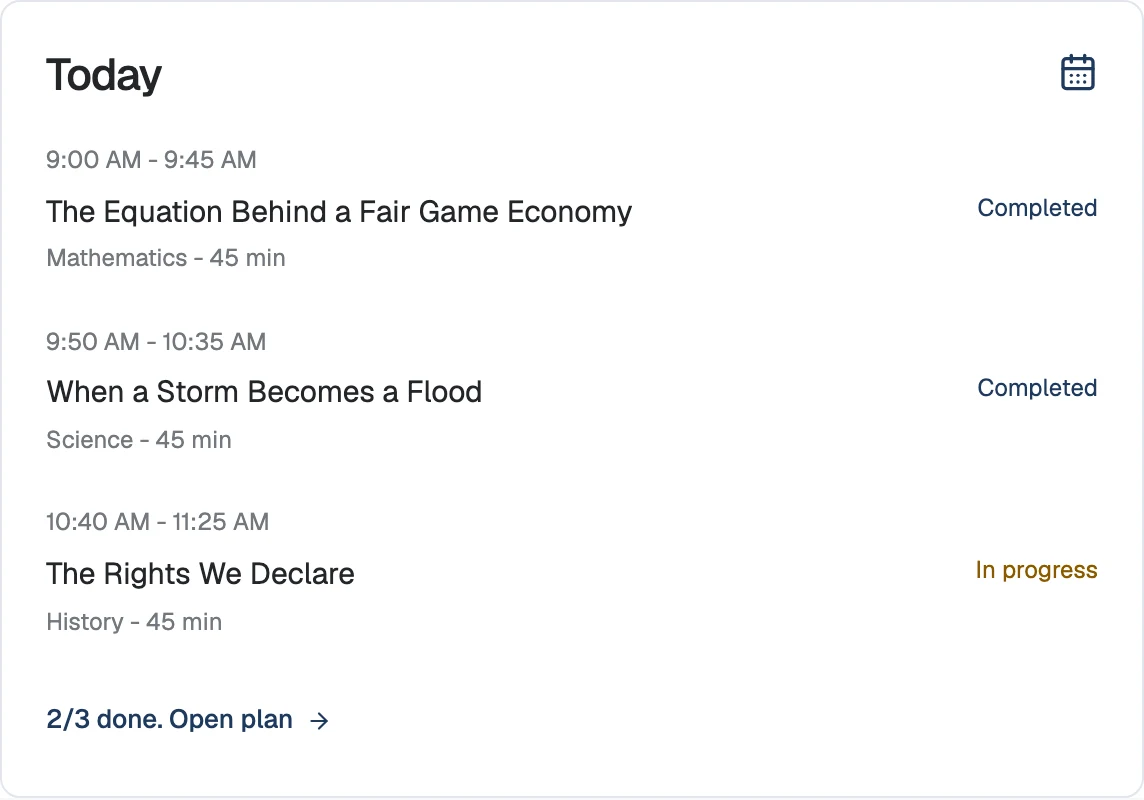
How we mark each block
We mark blocks from the work itself, so nobody checks anything off. A block is done when your child finishes a lesson or a reading check (the short graded questions after a lesson) in that subject during the block. If they start but do not finish, the block is partly done. If no work in that subject happens, it is missed. A Math block counts work in any of your child's math courses.
In the Parent Dashboard, This week shows each school day as Done, Partly done, Missed, Today, or Upcoming, with the active minutes we recorded. The mentor in the Parent Dashboard reads the same plan, so you can ask it what is still open today or how the week is going.
How we record attendance
Attendance comes from your child's daily check-in. Once a day, your child checks in from their dashboard, by photo or with one tap, and we time the session until they stop working. Each day with a check-in counts as a school day, whether or not a block was planned, and a planned block with no check-in adds nothing. The Parent Dashboard counts the days, and in Records the learning summary PDF lists the days and minutes.
Some states set a minimum number of school days or hours. The homeschool requirements checker shows the rule for your state, so the week you plan here can meet it.
Frequently asked questions
- Can I plan school on weekends?
- Yes. Choose six or seven days a week, or select Sat and Sun under Which days. Add block also works on any day.
- Can I make schedules for more than one child?
- Yes, one at a time on this page: finish and print one child's week, then choose Edit weekly goal and build the next. In our Parent Dashboard, each child keeps their own schedule.
Every block gets the next lesson
Start a trial and the week you planned fills with lessons that start at your child's level, while we record what got done and every day of attendance.
$149/month per child after the trial.