Your child learns to build with AI and check its work.
Your child picks a goal, uses AI to research and build, and learns to check the results. We build the course, teach every lesson, and keep the records.
A lesson built around your child
The biggest speedups come from the work that already eats your week, not from the newest tool.
- Lesson
- Find the hours AI can give back
- Goal
- Audit one real week and pick the task where AI saves you the most time.
How a lesson works
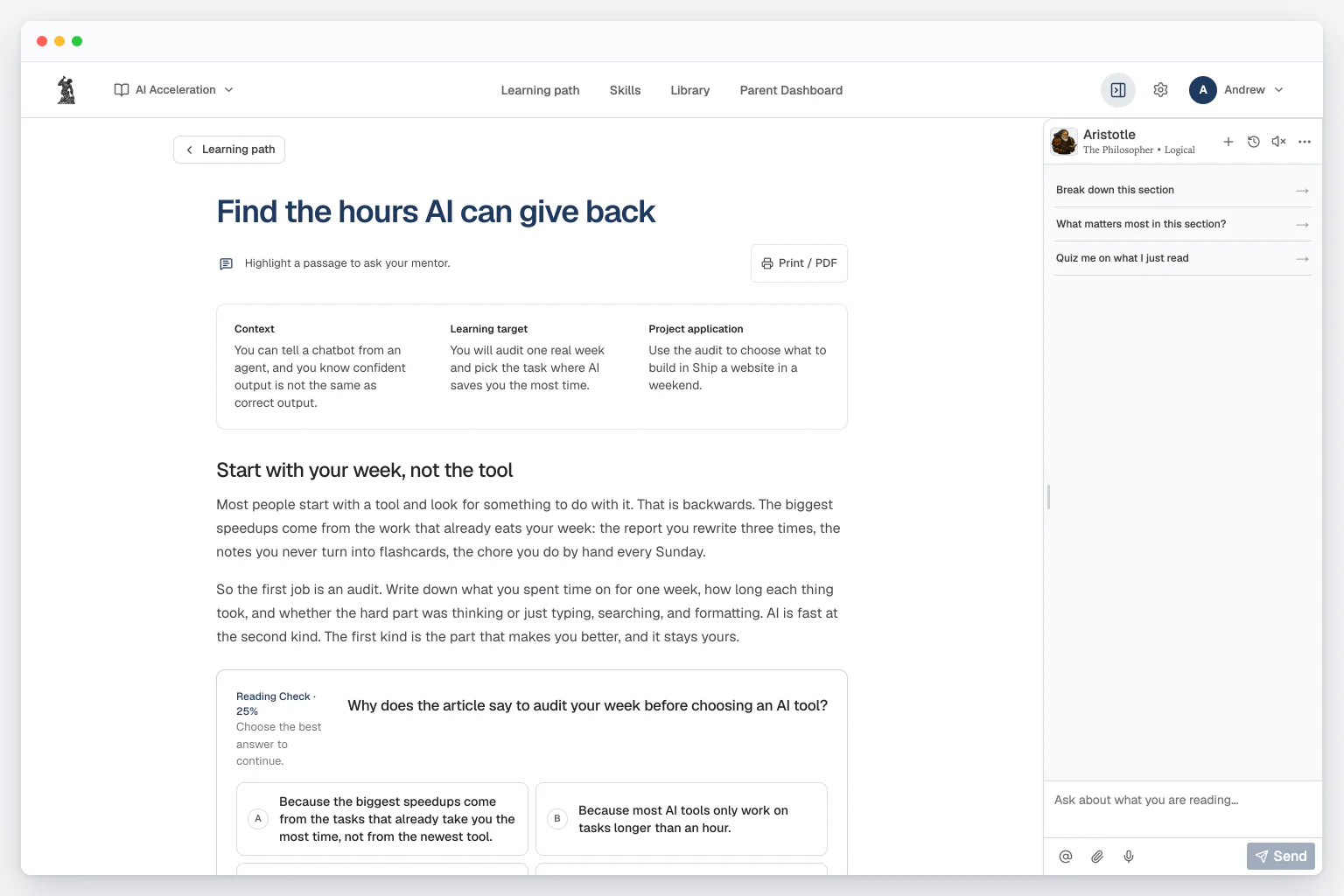
The reading
“Find the hours AI can give back” opens with “Start with your week, not the tool.”
Help inside the reading
When an AI result looks right, our Always-On Mentor can ask your child how they checked it before they rely on it. Your child can also highlight any line of “Find the hours AI can give back” to ask about it or ask for a visual, and the mentor offers help on its own when they seem stuck.
A check a quarter of the way in
Your child answers “Why does the article say to audit your week before choosing an AI tool?” before reading on, and the Reading Check at the end asks new questions.
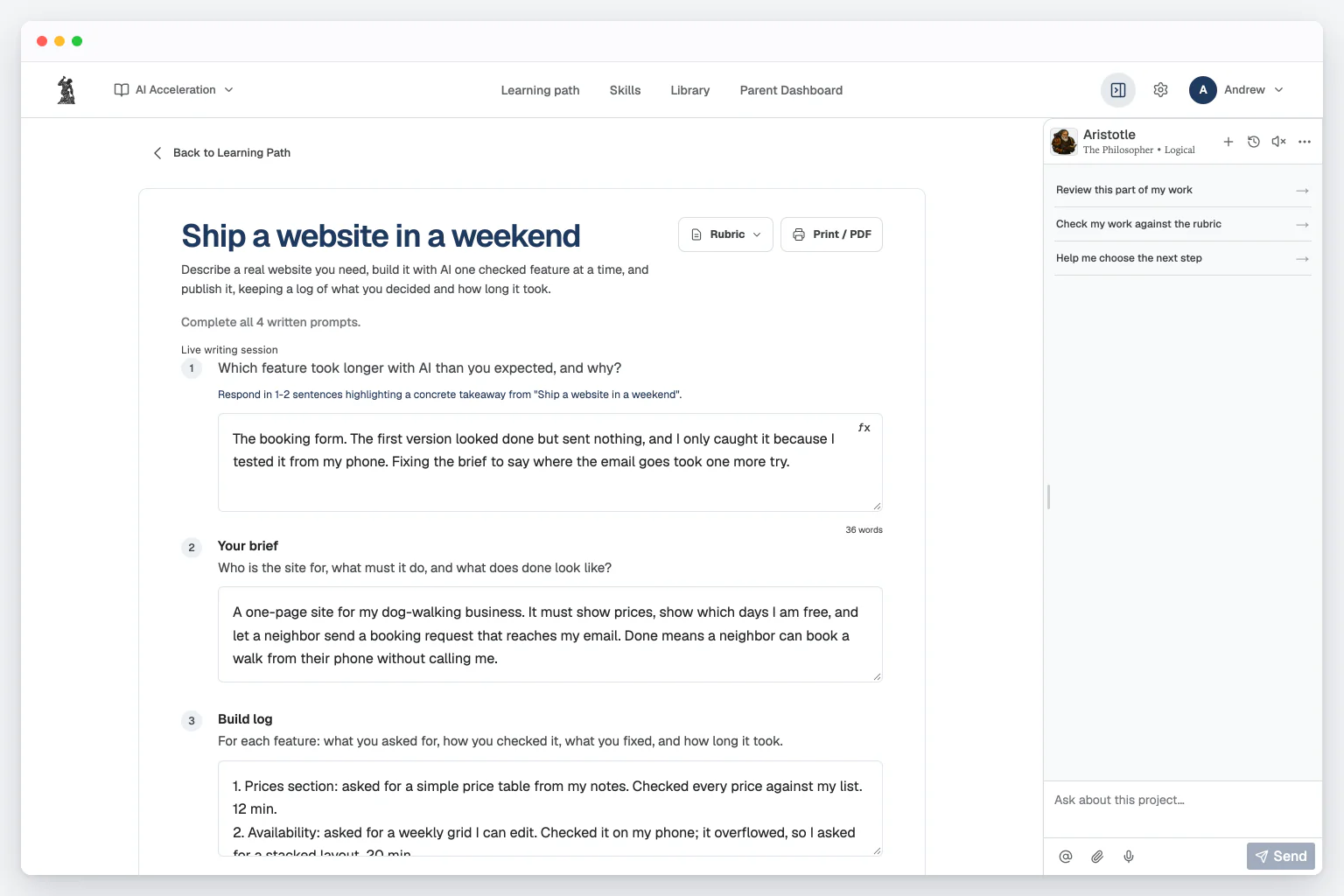
A project your child hands in
Describe a real website you need, build it with AI one checked feature at a time, and publish it, keeping a log of what you decided and how long it took.
Your parent dashboard
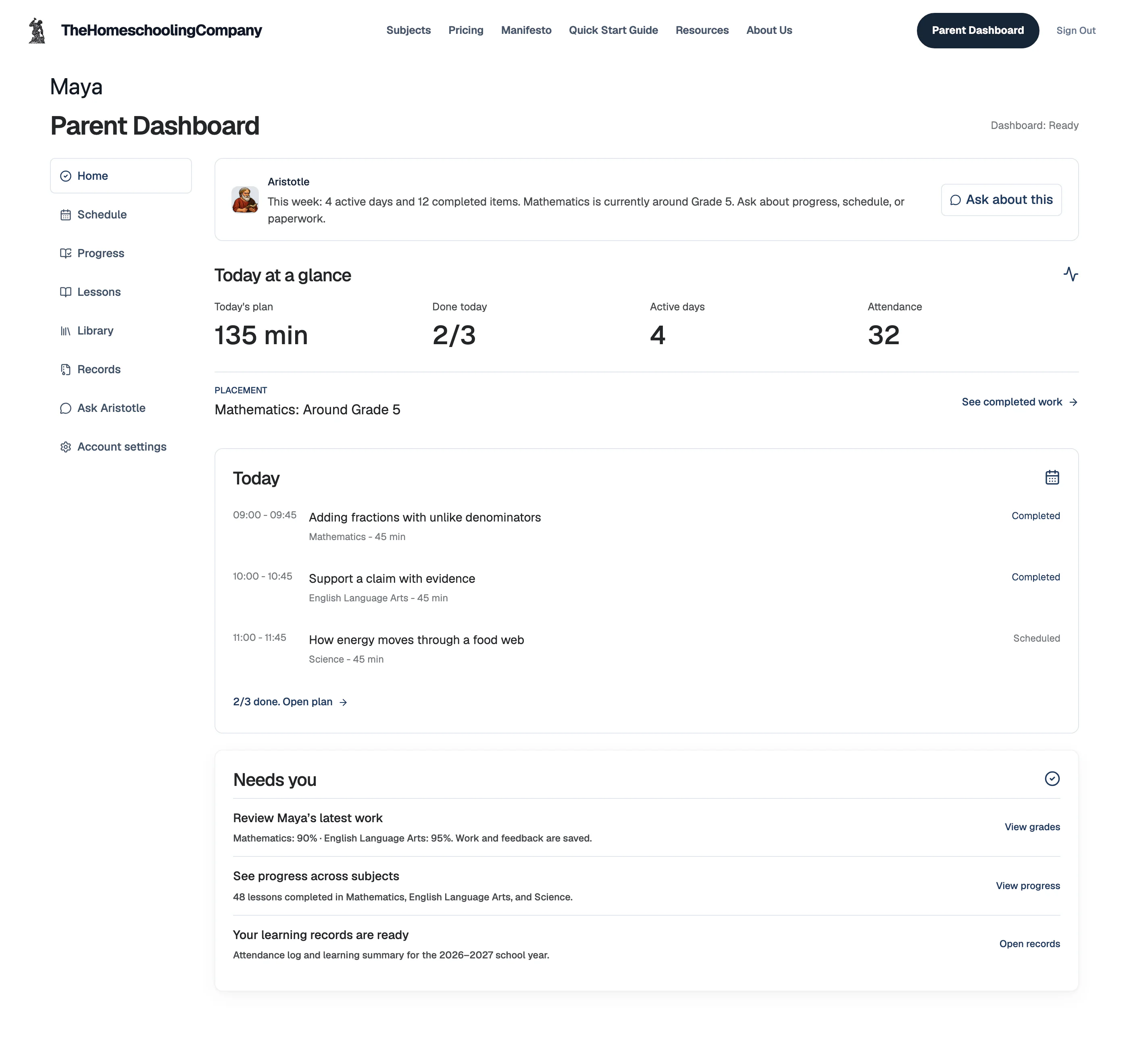
- Today
- Each subject's lesson, and whether it's done
- Grades
- Every submission graded instantly, with written feedback, so you never grade
- Records
- Attendance log and learning summary, ready to export
Units and skills
Teaches students to multiply what they can do with AI: find the work worth handing off, brief AI tools well, check what comes back, and build systems that let one student learn, research, and build at the pace of a small team. AI Acceleration is one skill tree for every grade with 12 units, from what AI can do for you to “Capstone: do what used to take a team”, and your child's grade sets how deep each unit goes.
AI Acceleration12 units · 60 skills
What AI can do for you5 skills
- Tell apart a chatbot, an agent, a tool, and a workflow
- Explain what an AI tool can see and what it cannot
- Explain why confident output is not proof
- Spot the tasks in your own week that AI can speed up
- Decide which parts of the work stay yours
Turning goals into tasks5 skills
- Turn a broad goal into a concrete task
- Write down what done looks like before you ask
- Separate requirements from preferences
- Break a big project into pieces AI can move fast on
- Write a brief that gets a good result on the first try
Briefing AI well5 skills
- Give AI the context a task needs and nothing more
- Use examples and constraints to shape the result
- Set up a workspace where files, instructions, and results stay organized
- Ask for a plan before asking for a big result
- Save an instruction you can reuse every time
Delegating real work to AI agents5 skills
- Explain what an AI agent can look at and change on its own
- Hand an agent a task with a clear scope and a finish line
- Review what an agent changed before you keep it
- Have AI investigate before it builds
- Finish a delegated task and show the evidence it worked
Building software with AI5 skills
- Explain how AI turns a plain description into working software
- Describe a small tool or app clearly enough for AI to build it
- Build one feature at a time and check that each one works
- Test what AI built before you rely on it
- Compare two AI tools on the same job and pick the better fit
Speed without risk5 skills
- Give each tool only the access the job needs
- Separate reading, writing, running, and approving actions
- Keep passwords and private information out of AI tools
- Try a workflow on a copy before letting it act for real
- Explain a safety limit in plain language
Checking and fixing AI work5 skills
- Read an AI's step-by-step record to see what happened
- Write a test that would catch a bad result
- Fix a workflow that keeps giving bad results
- Tell a bad result from a bad request
- Show that a revision made the result better
Research at speed5 skills
- Ask a research question AI can help answer fast
- Trace an important claim back to its source
- Grade a result against a rubric instead of a feeling
- Record what is still uncertain
- Deliver a sourced research brief in a fraction of the usual time
Learning faster with AI5 skills
- Use AI to explain a hard idea several different ways
- Quiz yourself with AI instead of rereading
- Keep AI help from replacing the skill you are building
- Build flashcards, practice sets, and study guides with AI
- Show that AI-assisted study improved what you can do alone
Tracking, sharing, and handing off work5 skills
- Keep version history so any AI change can be undone
- Save work in small, labeled steps
- Write a handoff note someone else can follow
- Ask AI for help without handing over the decision
- Show what you did and what the tools did
Automating repeat work5 skills
- Find a task you repeat and map its steps
- Pass clean information from one step to the next
- Add a stop point and a way to recover
- Weigh the time an automation saves against the time it takes to check
- Audit an automated workflow before a human approves it
Capstone: do what used to take a team5 skills
- Propose a project you could not finish alone in the same time
- Build it with the AI tools that fit the job
- Test the capstone with normal, unusual, and failure cases
- Explain what you decided and what the tools contributed
- Measure the speedup and publish the finished work
Questions parents ask
Who is the course for?
- Students in grades 6 to 12. No coding experience is needed. The course starts from what your child can already do with AI and raises the difficulty from there.
Which AI tools do the lessons use?
- Lessons use tools such as ChatGPT, Claude Code, and Codex as examples. The skills are the same across tools, so they carry to whatever your child uses next.
Does AI Acceleration teach my kid to cheat with AI?
- No. Lessons name what the AI agent does and where your child has to check or approve its work, and the course teaches your child to test AI output before trusting it.
How does AI Acceleration get my child started with AI agents?
- It starts with one real task your child already does, such as research for a report or a weekly chore. The first units teach how to brief an AI agent, check its work, and decide what to hand off next.
How much will I need to teach?
- None of the teaching. The course teaches every lesson and grades each project as soon as it is submitted. The mentor answers questions as your child works. You only help with tool access; you never design a project or teach an AI tool yourself.
Can I use the record for high-school planning?
- Yes. The subject record holds every graded assignment with its written feedback, ready to export. We generate a transcript from the course records, ready for you to sign.
Try AI Acceleration on a goal your child cares about.
Your child picks a goal on the first day, and the course builds the first unit around it.
$49/month after the trial.