A Time4Learning Alternative Built Around Your Child
Time4Learning gives every child the same online lessons at the grade a parent picks. We place your child in each subject, write each lesson for them, and grade the work they turn in.
What families want from a Time4Learning alternative
Time4Learning is an online curriculum for preschool through Grade 12, built from video and game-based lessons, quizzes, printable worksheets, and offline projects. The parent picks a starting grade, which can differ by subject, and serves as the teacher of record, with teaching guides in its parent dashboard. Its system grades the online lessons.
Families who look past it are usually after one of three things: lessons that start from what their child can already do rather than from a chosen grade, written work that someone other than the parent grades, and a school record that builds itself. Those are the parts of the day we were built to carry, and the sections below show how they work from the first day.
Day one: a placement test in every subject
To start your child where they actually are, we write a placement test for each subject you choose: 25 questions, or 12 for younger learners. It adapts as your child answers. The result pinpoints where to begin in each subject, perhaps in the middle of fourth-grade math and the beginning of fifth-grade reading. In grades 3 to 12, the free placement test can also be printed, with a photo of the answer sheet uploaded for grading.
The first lessons
Our Parent Dashboard lists the day's lessons by subject. You can shape the week's calendar around your family's hours and print it for the fridge.
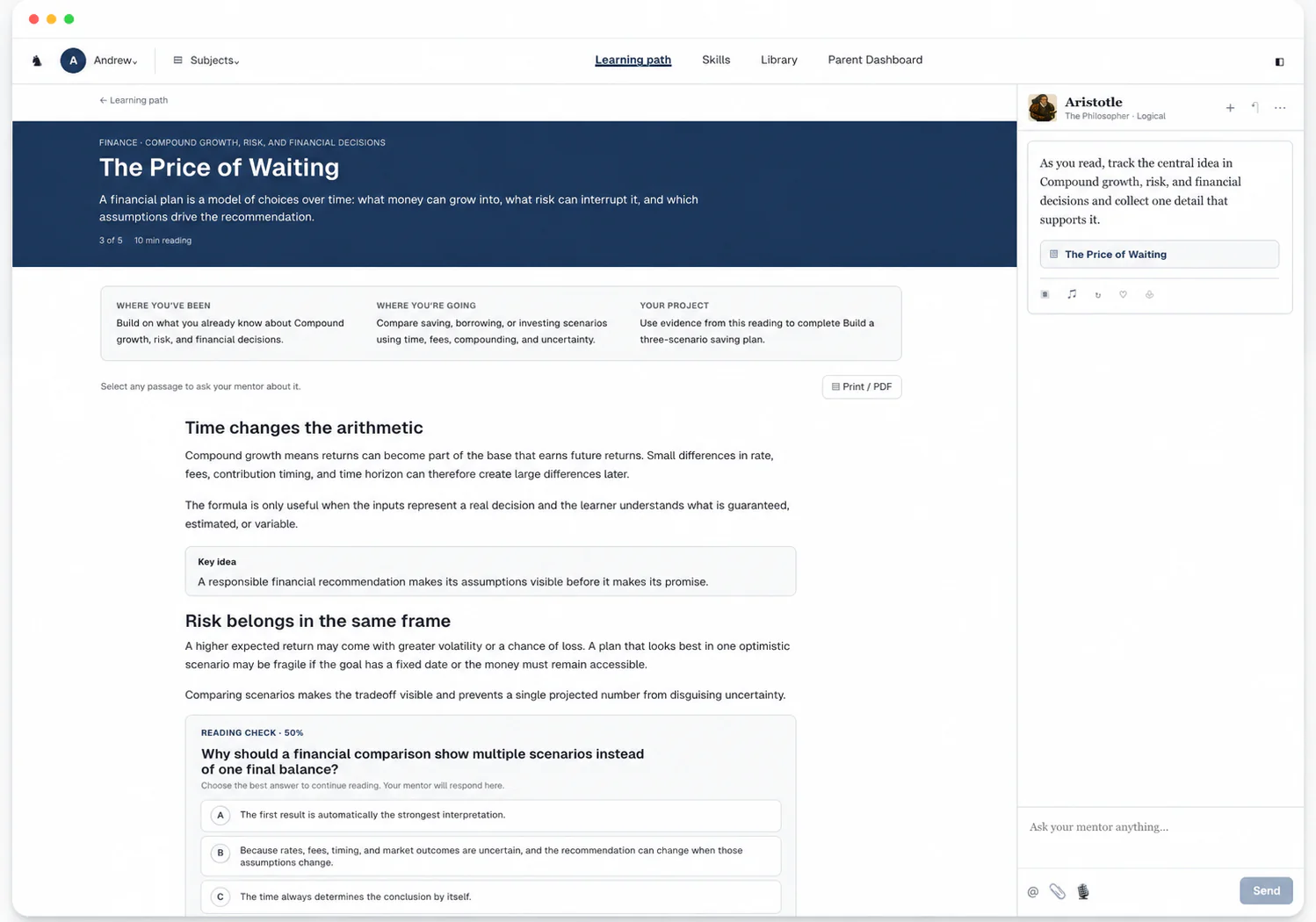
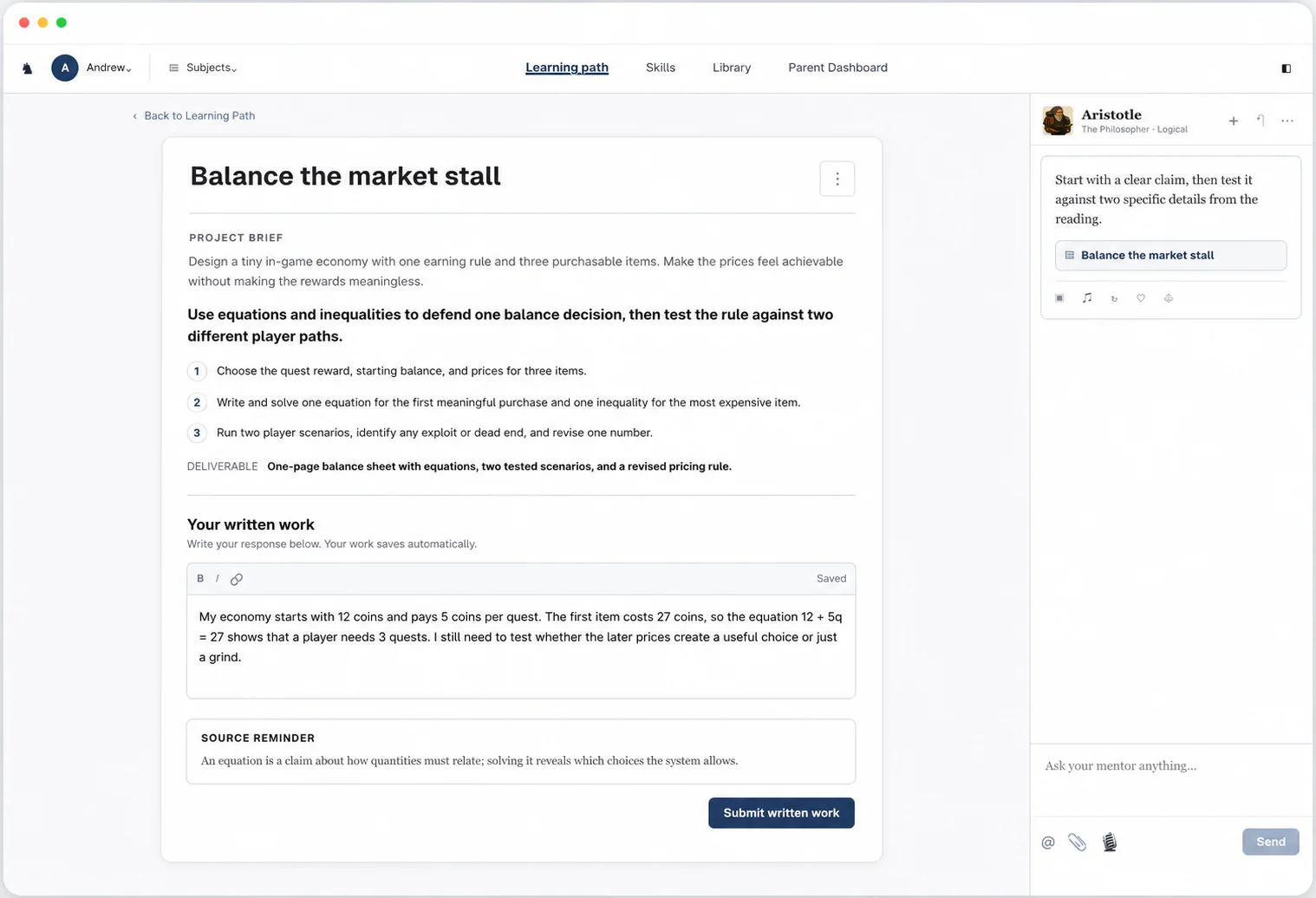
Each of our lessons is an interactive article starting at your child's placed level, with images and videos made for them and their interests woven into the reading. Margin notes connect earlier learning and questions invite curiosity. Progress checks along the way and a reading check at the end make sure each idea has landed before your child moves on. Then your child applies what they learned in a project built on the article, such as optimizing lap times for F1 or working out a rocket’s fuel load.
A notebook that stays organized
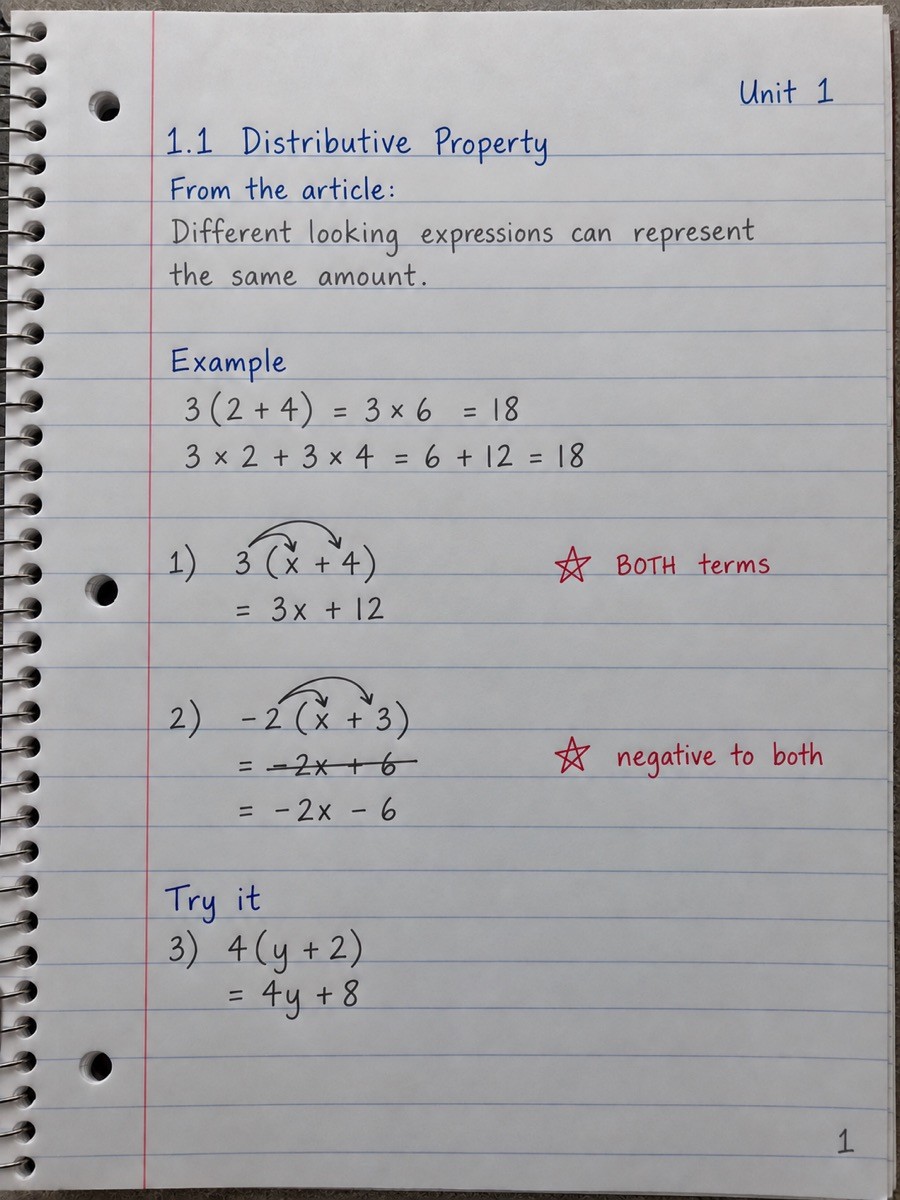
From Grade 3, our readings offer an optional Notebook guide to help your child organize their learning. It encourages lesson headings and unit labels, and the printable guide offers tips for taking notes in their own words rather than copying the article.
The guide encourages your child to note where they struggled and how they got past it. One tip is to star a useful takeaway, then gather those takeaways into a review page. When your child scans and uploads their notebook pages, we help them remember those ideas and shape practice problems around the places they struggled.
Help and feedback as your child works
Our Always-On Mentor sits beside every reading and project when your child needs help. It also steps in on its own when your child seems stuck, explains the idea another way, and can make it visual by drawing on its board. In a reading check or a project, it guides without giving the answer away.
We grade everything your child submits as soon as they submit it, so grading never lands on you. When your child gets something wrong, we help them work through it.
Records from the first lesson
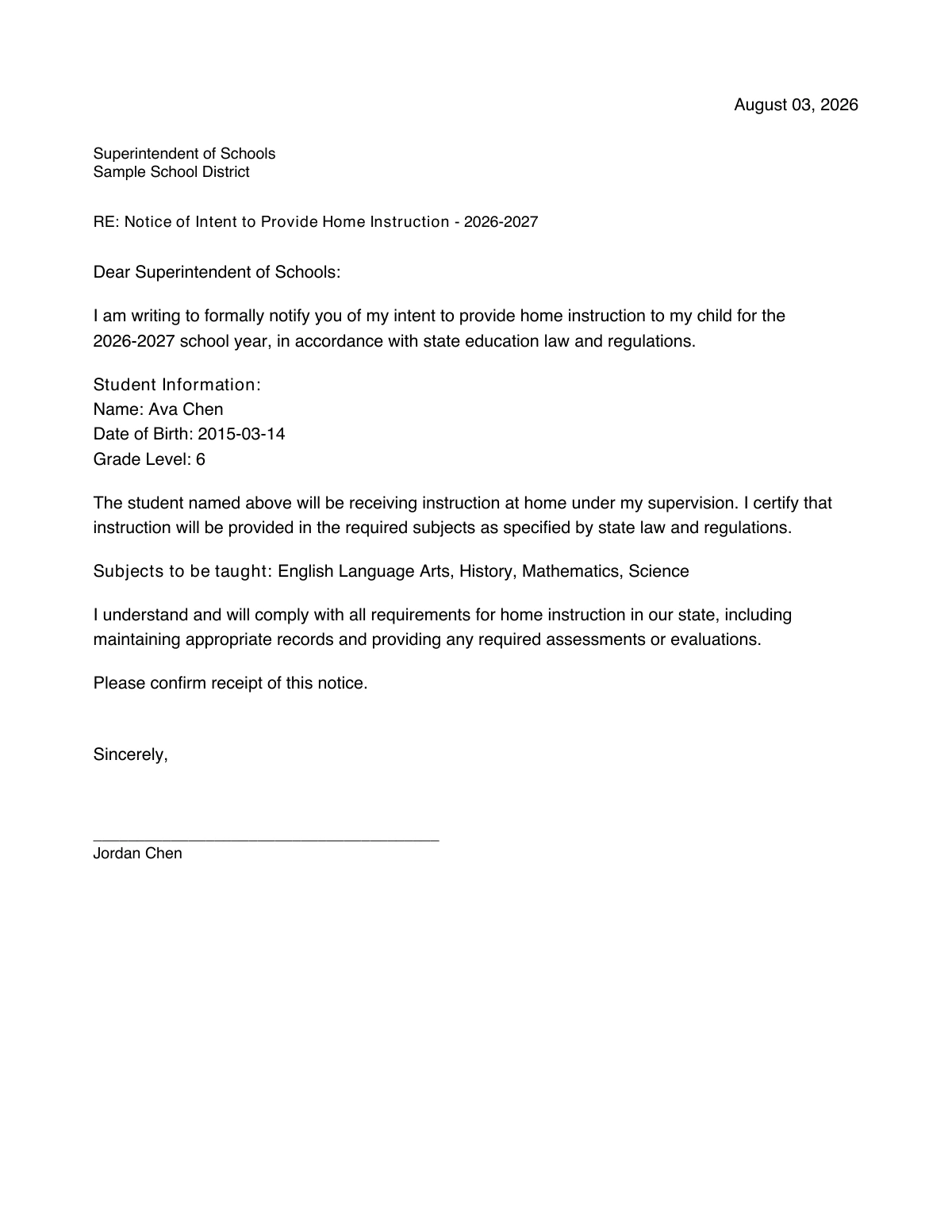
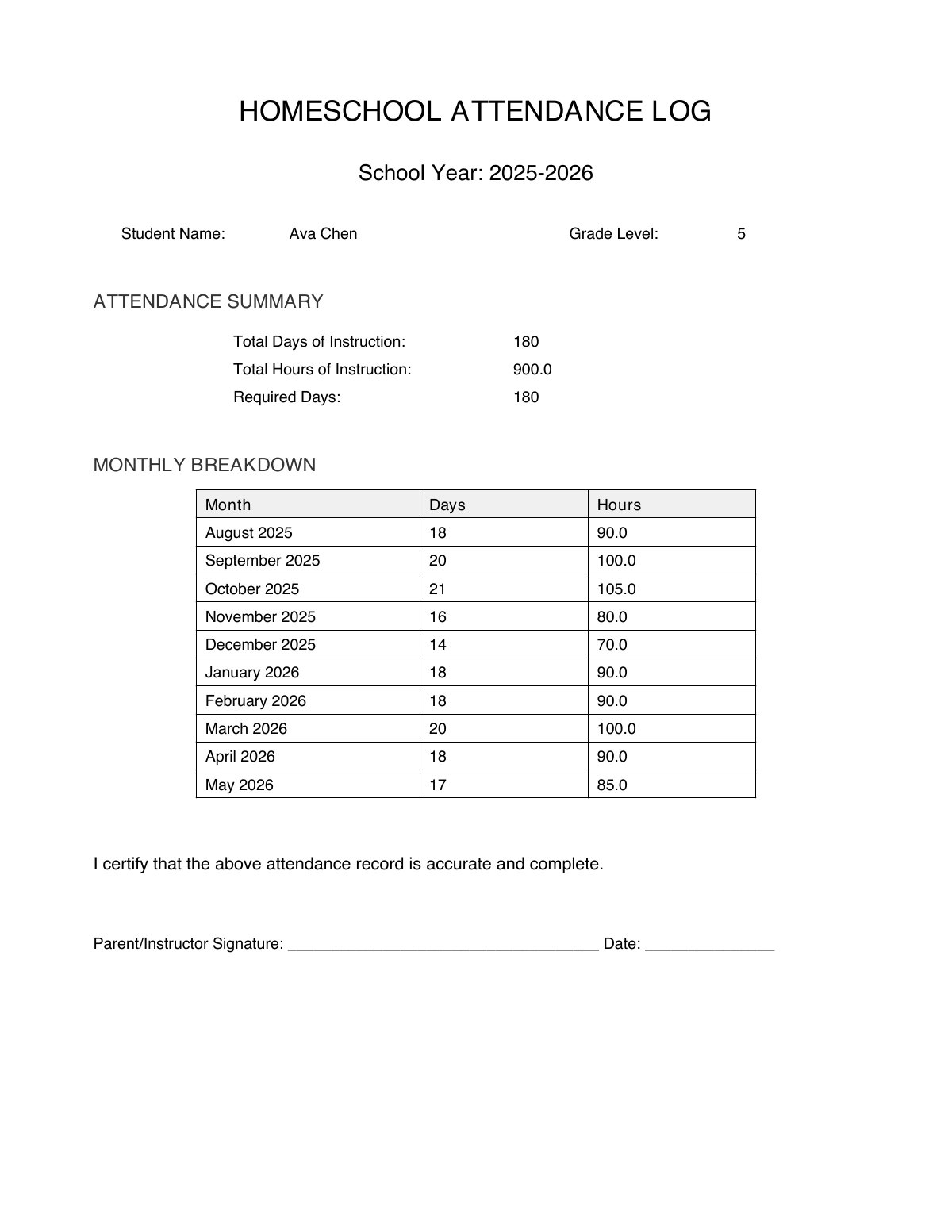
In our curriculum, daily check-ins log attendance, and every lesson, grade, and piece of feedback is saved as it happens. We draft the documents your state asks for, such as a letter of intent or a portfolio of real work samples, and you can export an attendance log and learning summary at any time.
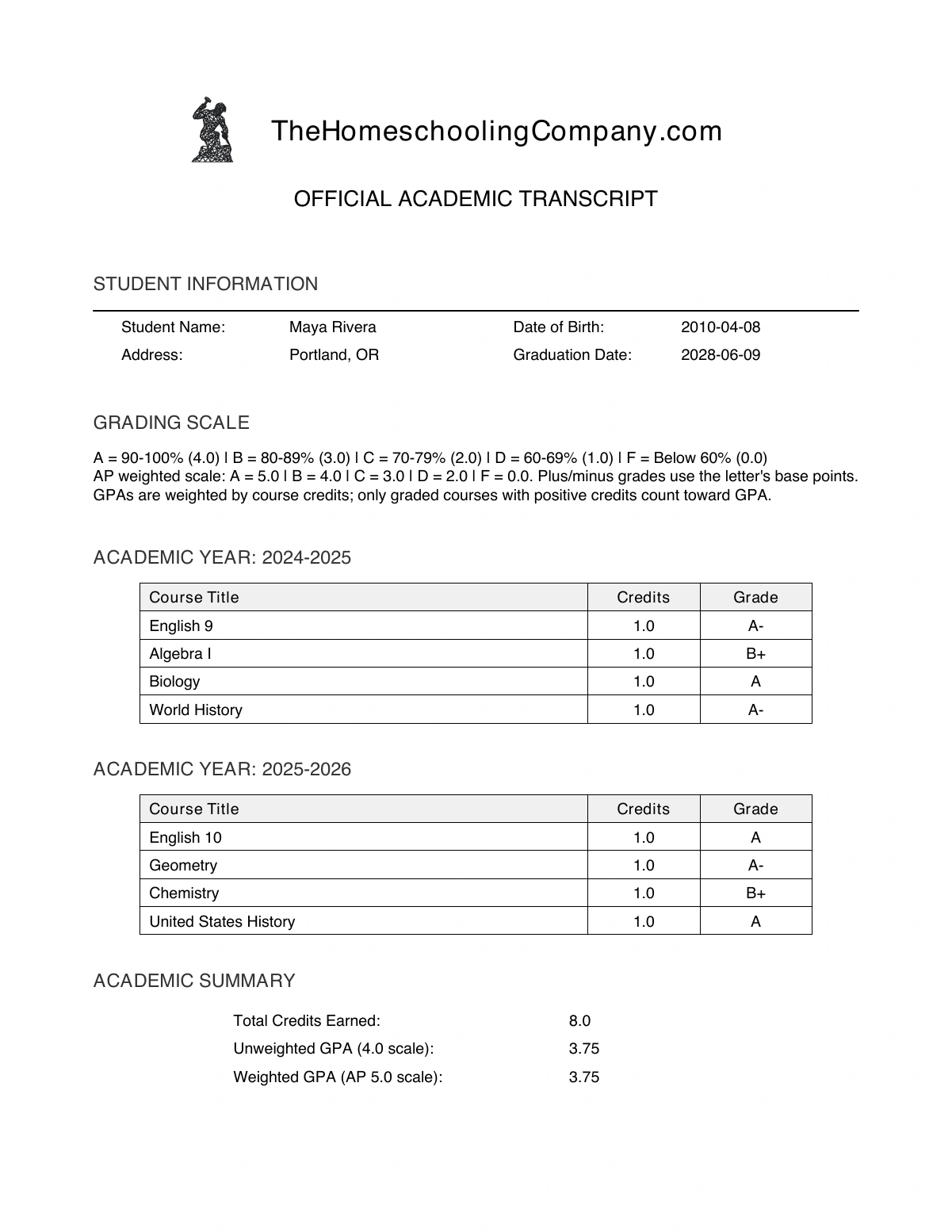
High school work becomes a transcript automatically: courses by subject and year, letter grades from your child's scores, credits from estimated instructional hours, and a calculated GPA.
Moving over in the middle of a year
There is no need to wait for a new school year. Placement starts each subject where your child is, so finishing a Time4Learning grade first does not change anything, and the reports Time4Learning produced stay yours alongside the record we start on the first day.
School in a Box includes up to 12 subjects, from the core to custom electives on anything your child is curious about. Single Subject covers one course, if you would rather start there.
Other questions
- Can we set our own school schedule?
- Yes. Our lessons have no class times, so your child works on the days and hours your family chooses, and daily check-ins record attendance.
- Can my child read lessons on paper?
- Yes. From Grade 3, lessons, reading checks, and projects can be done on paper. Scan and upload the finished work for the same feedback as online work.
- Can ESA funds pay for your curriculum?
- We are approved in Arizona, Alabama, New Hampshire, and Utah. Your program sets eligibility and payment rules.
Try a lesson built for your child
Let your child work through an explanation shaped around their interests, then see their answer graded the moment they submit it.
$149/month per child after the trial.